Checkout for PayPal WordPress plugin can be integrated with the Contact Form 7 plugin to accept PayPal payments after a form submission.
How Contact Form 7 Integration with PayPal Works
When a Contact Form 7 form is submitted, the PayPal button configured for this form will appear. Buyers will be able to click on this button to make payments.
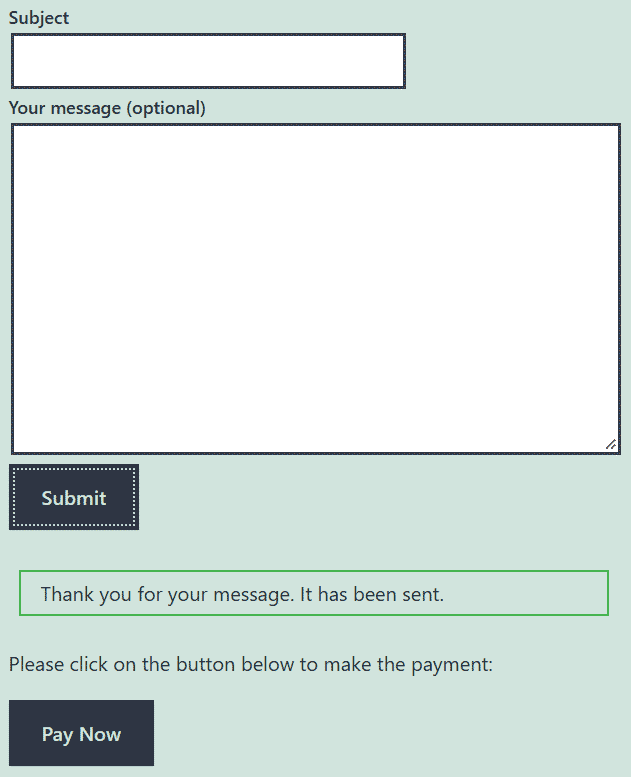
Note: The page cannot contain multiple forms if you are planning to integrate with a Checkout for PayPal payment button.
No payment button is shown when the form simply renders on the front end.
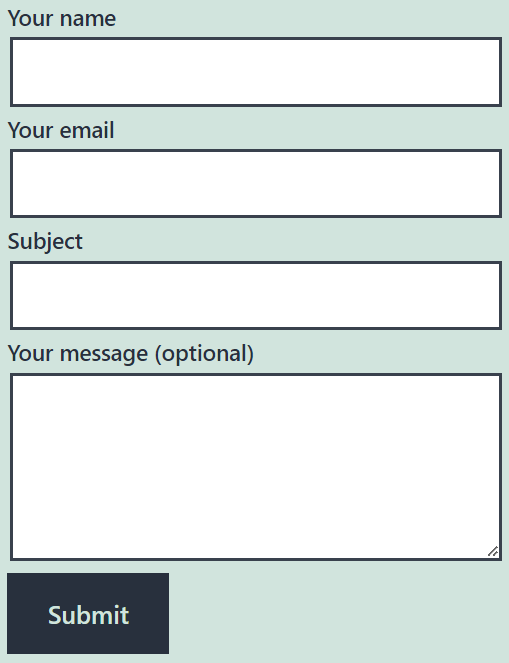
How to Enable Contact Form 7 Integration
Edit the page where you already have a contact form 7 type form or create a new one and insert a form into it.
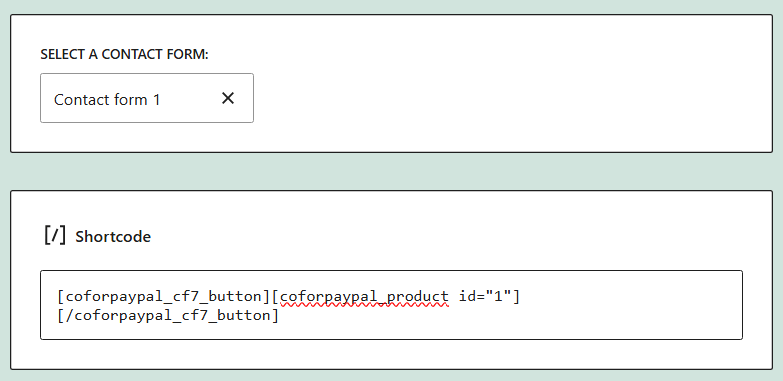
Add a new shortcode block right after the form and insert these two shortcode into it.
[coforpaypal_cf7_button][coforpaypal_product id="1"][/coforpaypal_cf7_button]
Here, “coforpaypal_cf7_button” is the enclosing shortcode required for this integration and the self-closing “coforpaypal_product” shortcode is what renders the button. If you are not sure how to set up the pay button please check the Checkout for PayPal plugin documentation.
The “coforpaypal_cf7_button” shortcode supports the following optional parameters.
message
A custom text message that can be shown right before the PayPal button.
[coforpaypal_cf7_button message="Please click on the button below to make the payment:"][coforpaypal_product id="1"][/coforpaypal_cf7_button]
Checkout for PayPal Contact Form 7 Integration Settings
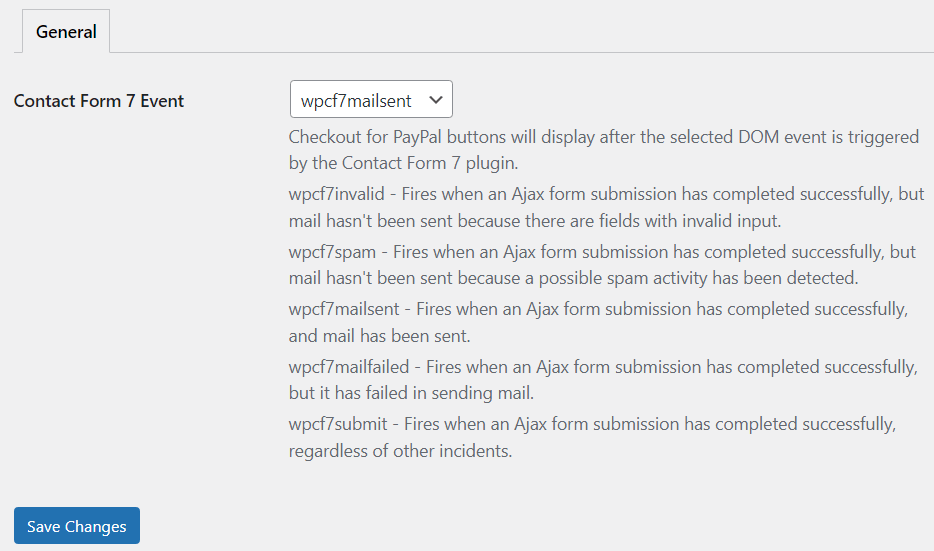
The settings page of the add-on allows you to choose the type of event that should enable the payment button display.
Get the Contact Form 7 Integration Add-on

License: Unlimited Websites
Note:
* Do not purchase before setting up the core plugin first. The add-on is not at fault if the core plugin does not work on your website.
* Do not purchase if you are not sure about a feature, contact us instead.
* Do not purchase to ask for more features or make the product work in a certain way.
Get All Checkout for PayPal Add-ons

* Variable Price
* Contact Form 7 Integration
* Order Export
License: Unlimited Websites
Note:
* Do not purchase before setting up the core plugin first. The add-on is not at fault if the core plugin does not work on your website.
* Do not purchase if you are not sure about a feature, contact us instead.
* Do not purchase to ask for more features or make the product work in a certain way.
Really like this simple setup with contact form 7 and paypal. No problem so far.