WP User Only Button is an add-on for the WP Stripe Checkout plugin that can be used to only show payment buttons to logged-in WordPress users. This can be useful if you are trying to set up a user only payment page or wish to protect a specific payment button from anonymous users.
How It Works
To hide/protect a payment button from anonymous users, enclose the pay button shortcode with the “wpstripeco_wp_user_only_button” shortcode.
Example 1
[wpstripeco_wp_user_only_button][wp_stripe_checkout id="1"][/wpstripeco_wp_user_only_button]
Example 2
[wpstripeco_wp_user_only_button][wp_stripe_checkout_payment_link url="https://buy.stripe.com/live_6gPE4jw7dMbUKdd3345"][/wpstripeco_wp_user_only_button]
The pay button will appear normally when the user is logged in to WordPress.

If the user is not logged in, a message will be shown instead.
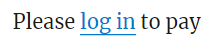
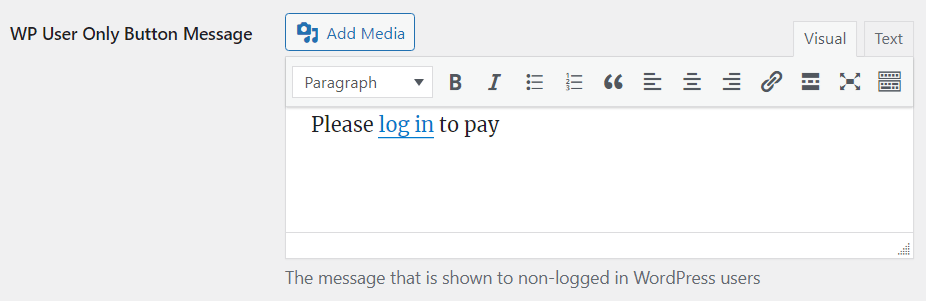
The default message can be customized in the add-on settings (Stripe Checkout > Settings > Advanced).
Get the WP User Only Button Add-on

WP Stripe Checkout WP User Only Button
Only allow logged-in WordPress users to view a Stripe payment button.
License: Unlimited Websites
Note:
* Do not purchase before setting up the core plugin first. The add-on is not at fault if the core plugin does not work on your website.
* Do not purchase if you are not sure about a feature, contact us instead.
* Do not purchase to ask for more features or make the product work in a certain way.
Price: $39.99
Get All WP Stripe Checkout Add-ons

WP Stripe Checkout Add-on Bundle
Access to all WP Stripe Checkout plugin add-ons.
* Variable Price
* Variable Quantity
* Submit Type
* Terms of Service
* Payment Link Email
* Variable Currency
* WordPress User Tracking
* WordPress User Only Button
* Product SEO
License: Unlimited Websites
Note:
* Do not purchase before setting up the core plugin first. The add-on is not at fault if the core plugin does not work on your website.
* Do not purchase if you are not sure about a feature, contact us instead.
* Do not purchase to ask for more features or make the product work in a certain way.
Price: $49.99